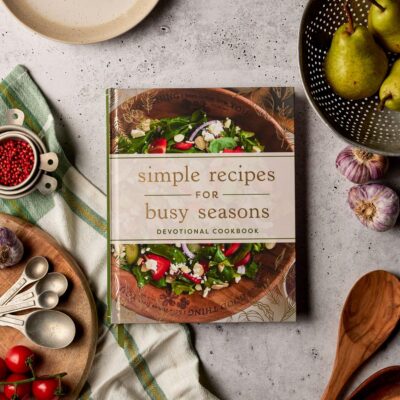
Let’s make you a recipe book that’s actually useful on a hectic day, not just pretty. 😄
Below is an easy recipe book design for busy days – you can use this for a Google Doc, Notion, Canva, or a printed binder.
1. Choose Your Focus (So It’s Not Chaos)
First, decide what your recipe book is for. For busy days, try one clear theme like:
15-minute meals
5-ingredient recipes
One-pan / one-pot dishes
Meal prep basics (things you cook once, eat twice)
You can mix them, but having a clear idea helps your design stay simple and not overwhelming.
2. Simple Structure That’s Easy to Use
Here’s an easy layout for your recipe book:
Cover Page
Quick intro page – how to use the book
Category sections with tabs or headings:
Breakfast in a Hurry
Fast Lunches
Easy Dinners
Snacks & Sides
Sweet Treats
Index at the end – recipes listed alphabetically + page numbers
If it’s digital, make your headings clickable (table of contents / links).
3. Design a Super-Clear Recipe Template
Use the same layout for every recipe so your brain knows exactly where to look.
Here’s a simple template you can copy-paste:
Recipe Title
Short tagline (e.g. “One-pan pasta ready in 15 minutes”)
Time: ___ mins Serves: ___ Difficulty: Easy / Medium
You’ll Need (Ingredients)
item
item
item
Steps (Keep Them Short!)
1.
2.
3.
Quick Tips
Tip 1
Tip 2
Busy-Day Bonus
🕒 Make ahead? Yes/No
❄️ Freezer-friendly? Yes/No
♻ Leftover ideas: ___
You can adjust the icons/labels, but this layout is perfect for tired brain mode.
4. Use Visual “Shortcuts” (Icons & Labels)
Little visual cues = less reading when you’re hungry and tired.
Create 3–6 tiny labels you use over and over, such as:
⏱ Under 15 min
🍲 One-pot
🧼 Minimal dishes
🥦 Veg-heavy
🧊 Freezer-friendly
👶 Kid/teen-friendly
At the top of each recipe, add the relevant icons.
Example:
One-Pan Lemon Chicken & Rice ⏱ 🍲 🧼
You can even color-code them if you’re designing in Canva or Google Docs.
5. Keep the Look Clean (No Over-designing!)
For busy days, readability > fancy.
Fonts:
Titles: 1 bold font
Body: 1 simple font (e.g. Arial, Calibri, Roboto)
Don’t use more than 2 fonts total.
Colors:
1 main color (e.g. green)
1 neutral (black/grey)
Use color for headings and icons, not for whole paragraphs.
Spacing:
Leave white space around ingredients and steps.
Use bullet points and numbered lists – never big blocks of text.
If you print it, this makes it easier to read on a kitchen counter.
6. Make It “Busy-Day Friendly” Content-Wise
Design is not just how it looks – it’s also what you put in.
For each recipe, try to:
Use short ingredient lists (5–10 items max).
Include swap ideas (e.g. “No spinach? Use frozen peas.”)
Show prep shortcuts (pre-chopped frozen veg, ready rice, etc.).
Add real timing (not fake “10 minutes” that actually takes 30).
You can even add a tiny note like:
Good for: After school, exam weeks, lazy Sundays
Avoid when: You have zero energy (use [super-fast recipe] instead)
7. Decide: Digital, Printed, or Both?
A. Digital Recipe Book (easiest to update)
Great tools:
Google Docs or Google Slides
Notion (amazing for linking and tagging)
Canva (if you want it to look like a real book)
Design tips:
Use a table of contents that links to each recipe.
Tag recipes in Notion with things like 15-min, vegan, snack.
Add small photos if you want, but they’re optional.
B. Printed Recipe Binder
If you like physical books:
Use a binder + plastic sleeves so pages don’t get ruined.
Make section dividers (breakfast, lunch, dinner, etc.).
Print on normal paper, slip into sleeves, and you’re ready.
You can combine both: design in Canva/Docs, then print your favorites.
8. One-Week Busy-Day Section (Optional but Awesome)
You can add a special section called:
“Emergency Week: 7 Easy Dinners”
For each day, include:
1 main recipe
1 quick side idea (bagged salad, microwaved veg, etc.)
Layout example:
Day 1 – Cheesy One-Pan Pasta
Main recipe page: 12
Side: Frozen peas with butter & salt
Day 2 – Sheet-Pan Chicken & Veggies
Main recipe page: 18
Side: Garlic bread
This makes your recipe book double as a mini meal planner when life is chaotic.
9. Start with Just 10 Recipes
Don’t wait until you have 100 recipes – that’s overwhelming.
Start with:
3 breakfasts
3 lunches
3 dinners
1 snack or dessert
Design those 10 recipes using your template. Once you like the layout, just keep copying the same format for new ones.
10. Simple Checklist to Get Started Today
Here’s a quick “do it now” plan:
Pick: Digital or binder?
Choose your categories (e.g. Breakfast, Lunch, Dinner, Snacks).
Create one recipe template (like the one above).
Add your top 3 favorite fast recipes first.
Add 3–5 icons (⏱ 🍲 🧼, etc.) and start tagging recipes.
Create a first-page mini index listing your recipes and their page numbers.
Use it for a week, then tweak anything that annoyed you.