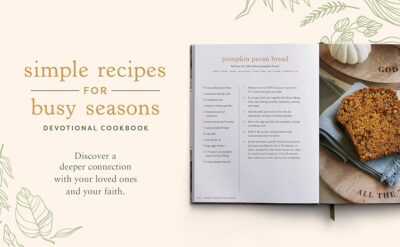
Before we get into design, let’s talk about why an Easy recipe book design for busy days! is worth doing:
No more scrolling forever through notes, photos, or random websites.
Stress-free cooking: you already know the recipes are simple and doable.
Personalized to you: your taste, your budget, your kitchen tools.
Perfect for sharing with family, friends, or roommates.
Think of it as a shortcut version of a cookbook: only your best, easiest recipes, laid out so you can find them fast.
Step 1: Decide on the Format
Your format shapes the whole Easy recipe book design for busy days! Choose what fits your life right now.
Option A: Digital Recipe Book
Great if you’re always on your phone/tablet/laptop.
Tools you can use: Google Docs, Google Slides, Canva, Notion, or a simple PDF.
Pros:
Easy to search by keyword.
Simple to update or fix mistakes.
You can share it instantly with a link.
Cons:
Needs a device and sometimes internet.
Not everyone likes screens in the kitchen.
Option B: Printed Recipe Book
Great if you like writing by hand or having something on the countertop.
Tools: A4 binder, notebook, recipe cards in a box, or a printed PDF.
Pros:
No batteries or Wi-Fi required.
Easy to flip through; feels “real.”
You can jot notes and tweak on the page.
Cons:
Harder to fix layout mistakes once printed.
Can get messy (but honestly, a few food stains = real chef vibes).
You can also do a hybrid: design a digital layout, print it, and keep it in a binder so you can reprint single pages if they get destroyed.
Step 2: Choose the Structure (Make It Quick to Use)
A smart structure is the heart of an Easy recipe book design for busy days!. If you can’t find things quickly, you won’t use it.
Simple Ways to Organize
You don’t need anything complicated. Try one of these:
By time
10-Minute Meals
20–30 Minutes
Slow Cook / Weekend
By meal type
Breakfast
Lunch
Dinner
Snacks
Desserts
By main ingredient
Chicken
Pasta
Rice
Veggie / Meat-free
Sweet
Pick the one that matches how you think when you’re hungry:
“I want something fast” → time-based sections.
“I have leftover chicken” → ingredient-based sections.
Add a Quick Index
Even a tiny index makes your recipe book feel more “real” and easier to use:
For digital: a table of contents with clickable links to each section.
For print: a list at the front or colored tabs to mark each category.
Step 3: Design a Simple, Repeatable Layout
The secret to an Easy recipe book design for busy days! is having one layout you reuse on every page. No overthinking.
Basic One-Page Layout
For each recipe, aim to fit everything on one page. That way you’re not flipping with messy hands.
A clean structure:
Recipe title
Short tagline (e.g., “One-pot pasta ready in 15 minutes”)
Time & servings
Time: 15 mins
Serves: 2
Ingredients list (clear, one per line)
Steps (numbered 1, 2, 3…)
Space for notes (“use more garlic,” “works with frozen veg,” etc.)
That’s it. No need for fancy columns or magazine-level layout.
Make It Easy to Read at a Glance
Use bullet points for ingredients.
Use numbers for steps.
Keep paragraphs short.
Highlight key things in bold:
Preheat the oven to 180°C / 350°F
Add water gradually
Don’t overmix
When you’re tired, you want to scan, not read an essay.
Step 4: Visual Style – Simple but Cute
You can keep your Easy recipe book design for busy days! minimal and still make it aesthetic.
Fonts
Choose one main font for headings (recipe titles) and one simple font for body text.
Avoid hard-to-read cursive for the main text. Use it only for titles if you like.
Example combo:
Title: a fun script or bold display font
Body: a clean sans-serif (like Arial, Calibri, etc.)
Colours
Pick a tiny palette, like:
One main colour (e.g., soft green)
One accent (e.g., warm orange)
Neutral (black/grey text)
Use colour to highlight:
Section headers
Title backgrounds
Small icons or dividers between recipes
Photos & Illustrations
If you have time and like visuals:
Add one photo per recipe (doesn’t have to be perfect—phone pics are fine).
Or use small icons for categories:
🥣 Soup
🍝 Pasta
🥗 Salad
🍪 Dessert
But remember: simple is better than unfinished. You can always add photos later.
Step 5: Choose Recipes That Actually Work on Busy Days
An Easy recipe book design for busy days! is useless if the recipes inside are super complicated.
Focus on recipes that are:
Under 30 minutes (or clearly marked if longer).
Use minimal dishes (one pot, one pan, sheet pan).
Use ingredients you already buy regularly.
Easy to double for leftovers.
Good categories to include:
Go-to breakfasts (overnight oats, yogurt bowls, scrambled egg wraps)
Quick lunches (sandwich ideas, quesadillas, salads that aren’t sad)
Fast dinners (stir-fries, simple pasta, one-pan chicken, tacos)
Snacks (smoothies, energy bites, popcorn flavour ideas)
Cheat codes (sauce combos, seasoning mixes, “what to do with leftovers”)
Step 6: Add “Busy Day Boosts” – Little Extras That Help
You can grow your Easy recipe book design for busy days! into a true helper by adding a few smart pages.
Pantry Essentials Page
A simple checklist of ingredients you like to keep on hand, such as:
Canned tomatoes, beans, chickpeas
Pasta, rice, tortillas
Frozen veg, frozen berries
Basic spices (salt, pepper, garlic powder, paprika, etc.)
This helps you quickly see what you’re missing before the week starts.
Quick Substitutions List
Things like:
No sour cream? → Use yogurt.
No fresh garlic? → Garlic powder.
No buttermilk? → Milk + a bit of lemon juice.
It saves you from panicking when you realise you’re out of something mid-recipe.
5–Minute Ideas Page
A tiny section for “I’m starving and have zero energy” moments:
Toast toppings
Microwave mug meals
Easy wraps
Quick snacks (apple + peanut butter, cheese + crackers, etc.)
Step 7: Make It Easy to Update
Your first version won’t be perfect. That’s okay. The best Easy recipe book design for busy days! is one you keep improving.
For Digital Books
Keep each recipe on its own page or file so you can edit independently.
Use consistent headings so search works well.
Save backups (Google Drive, email, or a USB).
For Printed Books
Use a binder or disc-bound notebook so you can:
Add new recipes
Remove ones you don’t use
Replace damaged pages
Keep extra blank recipe pages at the back for quick scribbles.
Step 8: Test It in Real Life
The final step to perfecting your Easy recipe book design for busy days! is to actually cook from it:
Choose a night when you’re tired and hungry.
Use only your recipe book (no extra Googling).
Notice:
Was the recipe easy to find?
Was the layout easy to read while cooking?
Did you wish you’d written anything differently?
Then tweak:
Make instructions clearer.
Reorder steps if needed.
Add notes like “tastes better with extra cheese” or “double sauce next time.”
Your book will get better each time you use it.
Conclusion
An Easy recipe book design for busy days! doesn’t need to be complicated or professional-level. What matters is that:
It’s organized in a way your brain understands (time, meal, or ingredient).
The layout is simple, readable, and repeatable.
The recipes inside are actually quick and realistic for your life.
It’s easy to update as you discover new favourites.
Whether you keep it digital, printed, or a mix of both, your recipe book can become your personal “cheat sheet” for surviving busy days without boring food or chaos in the kitchen.