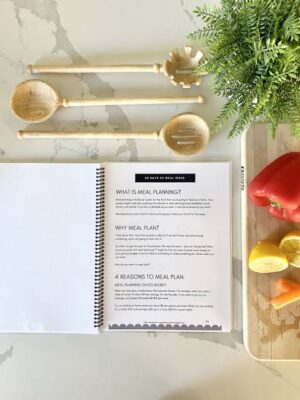
A simple, practical guide to creating a gorgeous recipe book—even if you have zero design experience or very little time.
Designing your own recipe book doesn’t have to be overwhelming. With the right structure, tools, and layout ideas, you can create a clean, user-friendly, and beautiful recipe collection that you’ll be proud to print, gift, or share online.
This guide will walk you through everything from choosing a theme to arranging recipes, selecting fonts, and adding final touches.
⭐ 1. Choose a Style or Theme (Keep It Simple)
Pick a design theme before you start. This makes the whole process easy and cohesive.
Popular ideas:
Minimalist & modern – clean fonts, neutral colors.
Rustic farmhouse – warm tones, wood textures, handwritten fonts.
Colorful & cute – pastel colors, fun illustrations.
Vintage cookbook – typewriter fonts, cream backgrounds.
Family recipes style – cozy, nostalgic colors and photos.
Tip: Don’t overthink it. Choose a style you like and stick to 2–3 main colors.
⭐ 2. Use a Simple Design Tool
You don’t need professional software. These free, easy tools are perfect:
Canva
Google Docs
Microsoft Word
Apple Pages
Canva is especially great because it offers:
✔ pre-made cookbook templates
✔ drag-and-drop photos
✔ simple font pairings
✔ instant export as PDF
⭐ 3. Organize Your Recipe Sections
Structure is everything. Break your recipe book into clear categories.
Suggested sections:
Breakfast
Lunch
Dinner
Snacks
Desserts
Drinks
Family favorites
Quick 10-minute meals
Meal prep recipes
You can create dividers (tabs or section pages) with a simple title and a matching design.
⭐ 4. Use a Consistent Recipe Layout
To make your book readable and professional, use the same recipe format every time.
A clean and easy recipe template:
Recipe Title
Short Description (1–2 sentences)
Prep Time / Cook Time / Servings
Ingredients List
Step-by-Step Instructions
Notes or Tips
Optional photo
Keep everything left-aligned and avoid clutter.
⭐ 5. Add High-Quality Food Photos
Photos make the book more appealing and easier to follow.
You can use:
your own food pictures
royalty-free images (Unsplash, Pexels, Pixabay)
Tip: Stick to a single photo style—same brightness, same filters—to keep the book looking cohesive.
⭐ 6. Choose Easy-to-Read Fonts
Use only two fonts:
✔ One simple serif or sans-serif for main text
✔ One decorative font for titles or section headers
Great font pairings:
Playfair Display + Lato
Montserrat + Merriweather
Cinzel + Open Sans
Raleway + Poppins
Font size guide:
Titles: 28–36 pt
Section headers: 20–26 pt
Body text: 12–14 pt
⭐ 7. Add Helpful Extras
Make your recipe book more functional with:
a quick measurement conversion chart
a pantry essentials list
cooking tips section
substitution list (e.g., egg substitutes, flour swaps)
blank pages for notes
a table of contents
These small touches make your book feel professional.
⭐ 8. Keep the Design Clean
White space is your best friend. Don’t overcrowd pages.
Use:
simple backgrounds
spacious margins
one recipe per page (or per two pages for long recipes)
Avoid:
too many colors
too many fonts
heavy borders
overly complex illustrations
Clean design = fast creation + better readability.
⭐ 9. Export and Print Easily
When you’re done:
Export as PDF (High Quality)
Print at home or use a local print shop
Choose spiral binding—it’s ideal for recipe books
Add a laminated cover for durability
⭐ 10. Create a Digital Version (Optional but Useful!)
You can also share your recipe book online as:
a downloadable PDF
a small eBook
a phone-friendly digital recipe guide
a Google Docs link
Perfect for gifting or selling online.
🎉 Final Thoughts
Creating an easy recipe book design for busy days is totally achievable. With a simple theme, clean layout, readable fonts, and organized sections, you can craft a beautiful cookbook in just a few hours—not days.
Whether you’re collecting family favorites, meal-prep recipes, or personal kitchen masterpieces, this guide gives you everything you need to make it fast, fun, and stylish.